Docker Compose lets you describe an entire application stack in one file: the API, frontend, workers, databases, volumes, and private networking. That makes local development straightforward. Running the same stack reliably in production is where the work starts.
A Compose file describes a container topology. Production needs the stuff Compose does not: builds from a Git source, auto-provisioned URLs, cross-service secret references, zero-downtime updates, routed public traffic with TLS, and someone operating the servers underneath. The three platforms below cover the three main approaches to that gap.
What to look for
Four questions make the comparison easier.
How does it interpret the file. Local images may need to become repository builds. Development values need secure replacements. localhost must become a real service address. Some platforms translate these; others run the Compose definition more directly.
How does it release changes. A deployment should protect the healthy version when a build fails, minimise interruption while containers are replaced, and provide a practical route back to an earlier release.
How does it handle state and connections. Persistent data must survive container replacement. Internal services should stay private. Anything exposed publicly needs controlled routing and TLS.
What remains your responsibility. A managed platform runs the servers and cluster for you. A self-hosted platform leaves patching, capacity, firewall rules, backups, and recovery to you.
1. Suga
Suga is the platform I work on, and the honest pitch here is that Compose and Suga aren't actually trying to be the same thing. Compose is a description of a container topology written for a local developer. Suga is a managed production environment. The useful move is to let a coding agent read your Compose file together with your repository and turn one into the other, through Suga's MCP server, as a reviewable Draft.

A basic Compose importer can map services: to containers and named volumes to storage. It cannot reliably work out that myapp:latest is a local image that should be built from the current GitHub repository, decide that three services need the same Dockerfile with different commands, replace duplicated development passwords with a cross-container reference, or feed an assigned public URL back into APP_URL. An agent with access to the Compose file and the repository can make those decisions.
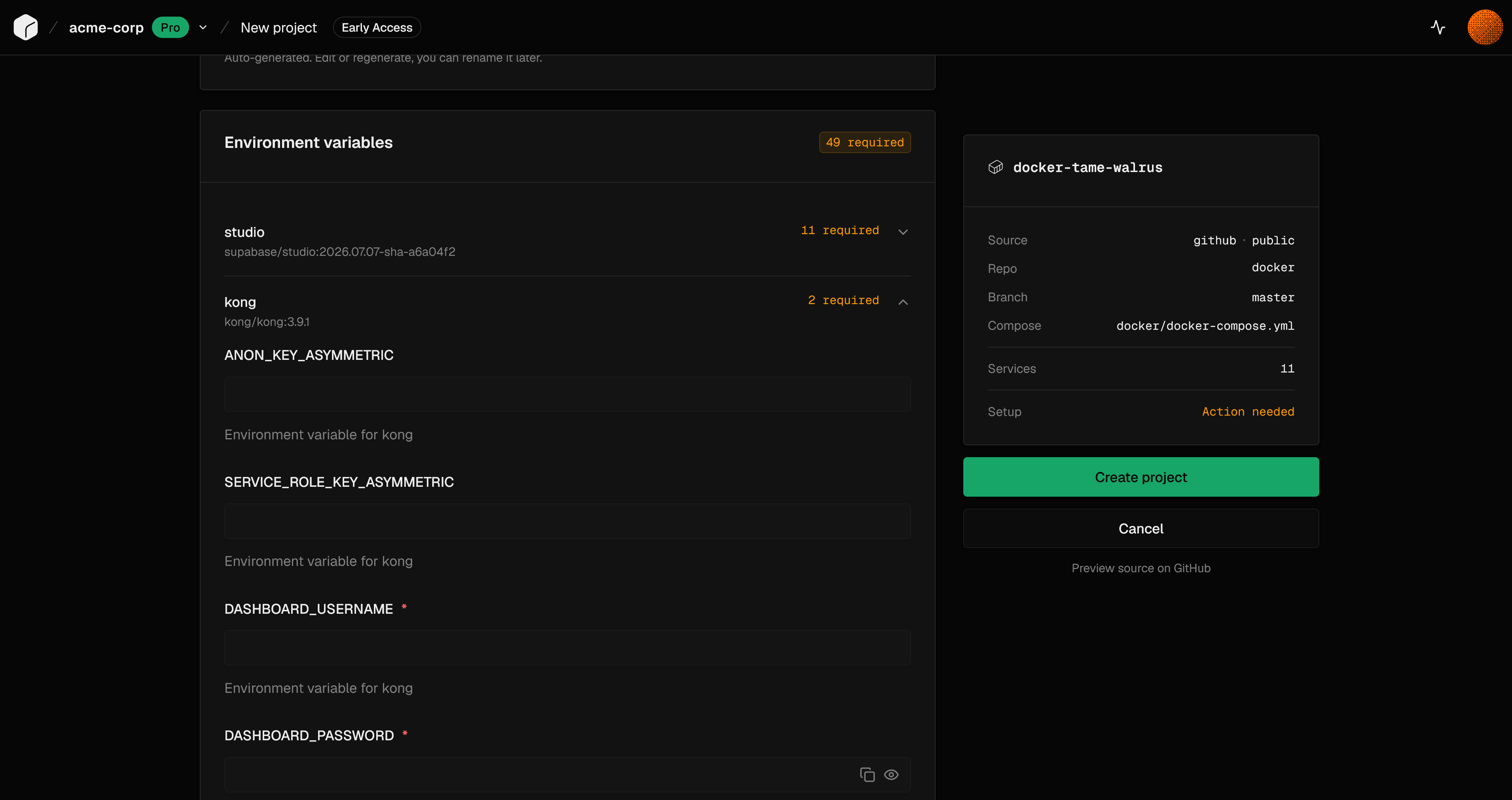
Once the agent has staged the environment, Suga operates the cluster, public routing, certificates, private service connections, and rolling updates. Every Apply records a saved version of the entire environment configuration, which gives you one coordinated recovery point rather than per-service history.
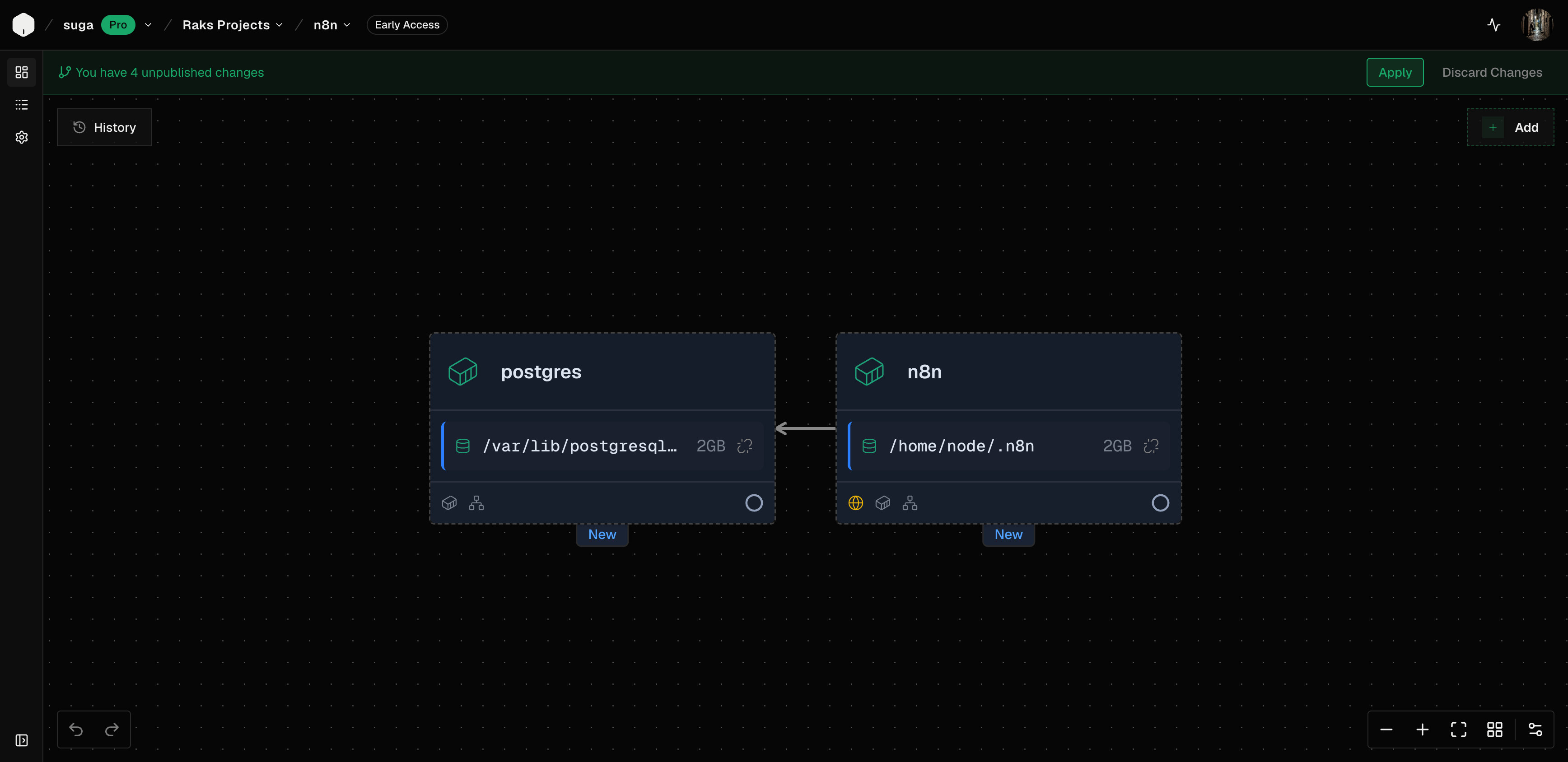
Best for: teams who want managed infrastructure, agent-assisted translation of their existing Compose stack, zero-downtime deploys, and whole-environment history and rollback.
Consider elsewhere if: you want to continue running the Compose file directly as-is, or you want to own the workload servers.
Pricing: Free tier for evaluation. Pro is $20 per seat per month with $20 of hosting credits bundled into every seat. A small application container plus Postgres fits inside one Pro seat's included credits. Enterprise is custom and adds bring-your-own-cloud through a Kubernetes cluster you provide.
2. Coolify
Coolify is an open-source control plane for servers you own or rent. It supports two Compose paths: connect a Git repository containing the file, or paste a definition into a service. The Git-backed path handles branch deployments, webhooks, and pull-request previews. The pasted path suits third-party applications whose Compose file you manage directly in Coolify.
Unlike Suga, Coolify runs Docker Compose itself. It reads the file, adds the labels and networking it needs, writes the final Compose file to the selected server, and runs docker compose up there. The Compose file remains the main deployment file for builds, images, commands, variables, named volumes, health checks, dependencies, and networking. A raw mode is available for teams who want to apply the definition without most of the platform's additions, at the cost of handling proxy labels, networks, and integration configuration themselves.
The one production catch is that Compose applications do not use Coolify's rolling-update system. Uptime during a deploy depends on the structure of the Compose file and its health checks. On a single server, replacing the only API container can create a short interruption. Docker Swarm is available when services need coordinated updates across servers, but it changes how the application is deployed and adds more server work.
Best for: teams who want a Git-backed or pasted Compose file to run directly on infrastructure they control, with an open-source dashboard for domains, deployments, logs, and previews.
Consider elsewhere if: you want zero-downtime deploys for Compose applications without stepping up to Swarm, or you want the platform to run the workload servers for you.
Pricing: Self-hosted is free and open source. Coolify Cloud is $5/month for up to two connected servers, then $3/month for each additional server. Compute is billed by your server provider.
3. Dokploy
Dokploy is another open-source control plane for infrastructure you provide. It supports standard Docker Compose on one server or Docker Stack on a Swarm cluster, with definitions coming from GitHub, GitLab, Bitbucket, Gitea, a generic Git repository, or raw YAML. Auto-deploy webhooks work with Compose projects, and the API can trigger deployments from an existing CI pipeline.
In Compose mode, Dokploy runs a standard command equivalent to docker compose ... up -d --build --remove-orphans, which you can replace with a custom command when you need additional flags. In Stack mode, Docker Swarm handles replicas and service updates, but build: is unavailable, so images must be built and pushed before deployment.
Dokploy's distinctive feature is Isolated Deployments: enabling it for a stack causes Dokploy to create a network for that Compose application, attach its services and Traefik, and prevent unrelated projects from discovering one another over the default shared network. Named volumes survive deployments and can use scheduled S3-compatible backups.
Best for: teams who want standard Docker Compose or Docker Stack from Git or raw YAML on their own servers, with optional Swarm support and the ability to customise the deployment command and networking.
Consider elsewhere if: you prefer the vendor to run the workload servers, or you want zero-downtime Compose deploys without a Swarm cluster.
Pricing: Self-hosted is free and open source. Cloud Hobby is $4.50/month per connected server with one user and two environments. Cloud Startup is $15/month for up to three connected servers, three organisations, unlimited users and environments, 2FA, and basic RBAC. Enterprise is custom. Annual billing saves 20%. Server costs are separate.
Which one to pick
If you want managed infrastructure and an agent-translated Compose stack, Suga runs the servers and does the translation through MCP into a reviewable Draft. If you want to keep the Compose file as the source of truth and run it directly on your own servers, Coolify fits that shape. If you want the same self-hosted model with optional Swarm, Dokploy covers that ground.
Frequently asked questions
Is Docker Compose suitable for production? Yes, especially when the application fits on one server and the Compose file follows Docker's production guidance. Use Suga or Docker Swarm when it needs several servers or independent service scaling.
Does a Compose file provide zero-downtime deployments? No. Compose does not manage rolling traffic changes. Suga handles them at the platform level. Coolify and Dokploy depend on the stack configuration or Docker Swarm.
Should Postgres run in the same Compose stack as the application? It can, especially for smaller deployments, provided it uses durable storage, stays private, and has tested off-server backups. A managed database reduces the operational work either way.